
ALERT SETUP GUIDE
Set up alerts that wake you up.
A tornado warning at 3 a.m. only helps if something in the house makes noise. Here is how NOAA Weather Radio, Wireless Emergency Alerts and weather apps fit together, and the gaps each one leaves.
The short answer
Use at least two alert sources that can make noise on their own. A NOAA Weather Radio programmed to your county sounds for every warning your local National Weather Service office broadcasts, even when cell service is down. Wireless Emergency Alerts reach your phone automatically, but only for the most dangerous warnings. A weather app can cover the rest if you allow it to sound through silent mode. Keep the phone charged and put fresh batteries in the radio.
Build more than one path to the warning
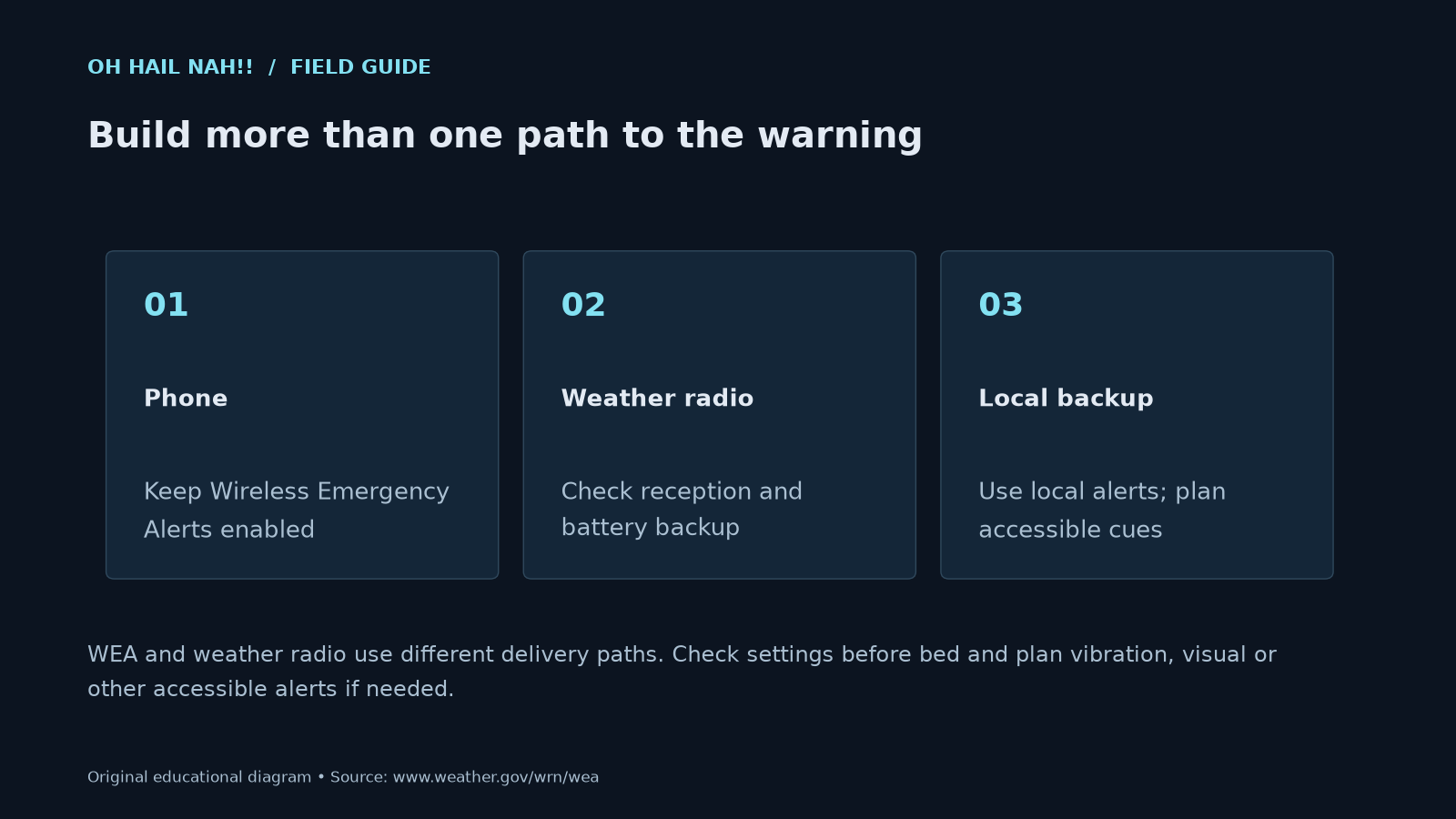
WEA and weather radio use different delivery paths. Check settings before bed and plan vibration, visual or other accessible alerts if needed.
What each source will actually wake you for
No single source covers everything. The gaps are specific, which makes them easy to close once you can see them.
| Situation | NOAA Weather Radio (SAME) | Wireless Emergency Alert | Weather app | OH HAIL NAH!! site alerts |
|---|---|---|---|---|
| Tornado Warning | Yes | Yes | If you allow it to break through silent mode | Only while the page is open |
| Severe Thunderstorm Warning (standard or “considerable”) | Yes | No | If enabled | Only while the page is open |
| Severe Thunderstorm Warning tagged “destructive” (baseball-size hail or 80 mph wind) | Yes | Yes | If enabled | Only while the page is open |
| Flash Flood Warning (standard) | Yes | No | If enabled | Only while the page is open |
| Flash Flood Warning tagged “considerable,” or a Flash Flood Emergency | Yes | Yes | If enabled | Only while the page is open |
| Tornado or Severe Thunderstorm Watch | Yes, unless you turn watches off | No | Your choice | Only while the page is open |
| Cell network down | Still works | Needs a working tower | Needs data | Needs data |
| Power out | Works on batteries | Works while the phone has charge | Works while the phone has charge | Needs the page open and powered |
NOAA Weather Radio coverage assumes your receiver is in range of a working transmitter and programmed for your county. Which alerts sound depends on your radio’s settings.
NOAA Weather Radio: alerts without cellular service
NOAA Weather Radio All Hazards is a network of more than 1,000 transmitters that broadcast warnings, watches and forecasts straight from your nearest National Weather Service office, 24 hours a day. It covers all 50 states, nearby coastal waters and the U.S. territories. It needs a special receiver, which listens on one of seven VHF frequencies between 162.400 and 162.550 MHz.
The feature that matters is SAME, short for Specific Area Message Encoding. A SAME radio stays quiet until an alert is broadcast for the county codes you entered, then sounds an alarm. Without SAME, a radio either stays silent or alarms for every county the transmitter covers.
Set it up once
- Look up your county’s SAME code and transmitter. The NWS county listing shows the six-digit code for your county and which transmitters cover it.
- Tune to that transmitter’s frequency. If reception is weak, try the radio near a window or away from other electronics.
- Enter your county code. You can add neighboring counties if storms usually approach from there. Each one you add means more alarms.
- Decide on watches. Leave warnings on. Watches are useful on active days, but some households turn them off to avoid late-night alarms for storms that never arrive.
- Install backup batteries. The radio should keep working when the power goes out, which is often when you need it.
- Put it where you sleep. A radio in the kitchen will not wake you in the bedroom.
- Check it with the weekly test. Most transmitters broadcast a routine weekly test. If your radio shows or sounds for it, your programming is working.
What to look for in a receiver
- SAME county programming.
- Battery backup.
- The Public Alert logo, which marks radios built to a common standard for alerting features.
- An accessory jack for a strobe light or bed shaker, if anyone in the house is Deaf or hard of hearing. The NWS has a guide for Deaf and hard-of-hearing households.
We keep buying notes for two common home radios, the Midland WR400 and the Midland WR120B. Those pages contain affiliate links.
Wireless Emergency Alerts: automatic, but selective
Wireless Emergency Alerts are the loud alerts that show up on your phone like a text message, with a distinct tone and vibration. You do not sign up for them and they are free. Cell towers broadcast the alert to every compatible phone in the warned area, so network congestion does not block them and the system does not track who receives them. If you drive into a warned area after an alert goes out, your phone receives it when you arrive.
The National Weather Service sends a Wireless Emergency Alert only for its most dangerous warnings:
- Tornado Warning
- Extreme Wind Warning
- Severe Thunderstorm Warning, only when the damage threat is “destructive” (hail at least 2.75 inches, baseball size, or wind at least 80 mph)
- Flash Flood Warning, only when the damage threat is “considerable” or “catastrophic”
- Hurricane, Typhoon, Storm Surge and Tsunami Warnings
- Dust Storm and Snow Squall Warnings
That list leaves out most severe thunderstorm warnings, standard flash flood warnings and every watch. Those gaps are why a phone alone is not enough.
Check your phone settings
iPhone: open Settings, then Notifications, and scroll to Government Alerts at the bottom. Keep Emergency Alerts on. Inside that setting, keep Always Play Sound on so alerts sound even when the phone is silenced. Older versions of iOS call it Always Deliver.
Android: search Settings for “Wireless emergency alerts.” Depending on the phone, it may sit under Safety and emergency, or inside the Messages app’s settings. Allow alerts, keep extreme and severe threats on, and leave the alert sound on.
Menu names change between phone models and software versions. If you cannot find the setting, search for “emergency alerts” in Settings. Newer iPhones also offer Enhanced Safety Alerts, which Apple delivers over Wi-Fi and cellular data. They sound different and supplement government alerts rather than replace them.
Weather apps: close the gaps
A good weather app is how you hear about the warnings the phone’s built-in system skips, like a standard severe thunderstorm warning at 2 a.m. What to check before you trust one overnight:
- It alerts on warning polygons for your location, not only on whole counties, and follows your phone’s location as well as saved places.
- It is allowed to sound through silent mode. On iPhone, some weather apps ask for Critical Alerts permission. Allow it only for an app you trust not to cry wolf. On Android, look for an option like Override Do Not Disturb in the app’s notification settings.
- Location access is set to Always if you want alerts for wherever you are, not just a saved address.
- You have tested it. Many apps can send a test notification. Send one with the phone on silent.
Two reliable sources beat five noisy ones. If alerts go off for storms that never come near you, people start ignoring them, and that habit is the real risk.
Why nights need extra layers
At night you cannot see a storm coming and you are not checking your phone. Outdoor warning sirens do not solve that. They are built to warn people who are outside, not to wake anyone in a closed house.
Tornadoes after dark are especially dangerous for exactly that reason. The February 1998 central Florida outbreak, during a very strong El Niño winter, killed 42 people after dark. With another very strong El Niño expected this winter, the Gulf Coast and Florida are worth watching. Our El Niño winter guide explains why.
Before bed on a stormy night
- Radio on, batteries fresh, in the bedroom.
- Phone charging within earshot, not in airplane mode, emergency alert sound on.
- Shoes, a flashlight and helmets by your shelter spot. Our storm kit checklist covers the rest.
- A look at the day’s SPC outlook, so you know whether the overnight setup is ordinary or unusually dangerous.
Questions people ask
Will my phone wake me up for a severe thunderstorm warning?
Usually not. The National Weather Service sends a Wireless Emergency Alert for a severe thunderstorm warning only when it carries the “destructive” damage threat, meaning hail at least 2.75 inches or winds at least 80 mph. For the rest, you need a NOAA Weather Radio or a weather app allowed to sound through silent mode.
Do I need to sign up for Wireless Emergency Alerts?
No. They are sent automatically and for free to compatible phones in the warned area. You only need to make sure they are not turned off in your phone’s settings.
What is a SAME code on a weather radio?
SAME stands for Specific Area Message Encoding. Each county, and sometimes part of a county, has a six-digit code. When you enter your county’s code, the radio sounds its alarm only for alerts issued for that area. The National Weather Service lists every code at weather.gov/nwr/counties.
Can I count on tornado sirens to wake me up?
No. Outdoor warning sirens are designed to alert people who are outside. Inside a closed house, especially asleep, you may not hear them. Use an indoor source such as a weather radio or phone alerts.
Do Wireless Emergency Alerts work when the cell network is overloaded?
Yes. Alerts are broadcast from cell towers rather than sent like individual texts, so congestion does not block them. Your phone still needs to be on, out of airplane mode and within range of a working tower.
Does the OH HAIL NAH!! site send alerts when it is closed?
Not at this time. Our browser notifications work while the weather desk page is open. For overnight protection, use a NOAA Weather Radio, Wireless Emergency Alerts and a trusted weather app.
Keep reading
Sources
- National Weather Service, NOAA Weather Radio All Hazards and NWR county coverage listing.
- National Weather Service, Wireless Emergency Alerts FAQ.
- National Weather Service, “Destructive” Severe Thunderstorm Warnings trigger Wireless Emergency Alerts.
- Apple Support, Government, emergency and Enhanced Safety Alerts on iPhone.
- National Weather Service, Weather safety for Deaf and hard-of-hearing people.
- WUFT / Florida Public Radio Emergency Network, Building super El Niño to shape Florida’s winter (February 1998 outbreak).
These guides support personal planning. They do not replace official warnings, emergency services or local evacuation orders. When a warning is in effect for you, act on it first and read later. Official forecasts and warnings: weather.gov.
